Monthly Archives: April 2016

SSL tutorials

Just bought a SSL certificate for one of my clients….
Here are some useful tutorial links.—

CSR Generation: Using OpenSSL (Apache w/mod_ssl, NGINX, OS X)
https://support.comodo.com/index.php?/Default/Knowledgebase/Article/View/1/66/

Nginx CSR Generation using OpenSSL
https://support.comodo.com/index.php?/Default/Knowledgebase/Article/View/801/0/nginx-csr-generation-using-openssl

Certificate Installation: Apache & mod_ssl
https://support.comodo.com/index.php?/Default/Knowledgebase/Article/View/637/66/

Certificate Installation : NGINX
https://support.comodo.com/index.php?/Default/Knowledgebase/Article/View/1091/0/certificate-installation–nginx
nginx&cloudflare – allow ip to directory

SUPZ!

One of my blogs is getting lots of login attempts from HACKERS :>

Only allow specific IP to access a specific directory

Inside the configuration of the domain (ex. /etc/nginx/sites-enabled/playboy.com), lets add the following entries – this will allow IP 84.91.XXX.XXX to wp-admin folder and block all the others

 location /full_movies/ {
      allow 84.91.XXX.XXX;
      deny all;
 }

This should to the trick! but if we are using cloudflare the domain we need to add some lines at our nginx.conf (/etc/nginx/nginx.conf) so nginx reads the correct IP from the visitor…
Inside http { lets add the following

set_real_ip_from 204.93.240.0/24;
set_real_ip_from 204.93.177.0/24;
set_real_ip_from 199.27.128.0/21;
set_real_ip_from 173.245.48.0/20;
set_real_ip_from 103.22.200.0/22;
set_real_ip_from 141.101.64.0/18;
set_real_ip_from 108.162.192.0/18;
real_ip_header CF-Connecting-IP;

Horray!

To protect your wordpress login & wp-admin…

  location ~ '(/wp-login.php|/wp-admin)' {
            allow 84.91.4.220;
            deny all;
        }

This might affect your theme/plugins.
It protects /wp-admin/wp-ajax.php….

Moving servers…

Moving servers….

SERVER ONE http://colo-cation.com/

sent 2390501229464 bytes received 105496736 bytes 6636712.04 bytes/sec
total size is 2424713909072 speedup is 1.01

2.3TB

SERVER TWO http://cavecreek.com/

sent 643673812536 bytes received 25985160 bytes 7483706.60 bytes/sec
total size is 660370847119 speedup is 1.03

643Gb

SQLSTATE[HY000] [2000] mysqlnd cannot connect to MySQL 4.1+ using the old insecure authentication


SQLSTATE[HY000] [2000] mysqlnd cannot connect to MySQL 4.1+ using the old insecure authentication. Please use an administration tool to reset your password with the command SET PASSWORD = PASSWORD(‘your_existing_password’). This will store a new, and more secure, hash value in mysql.user. If this user is used in other scripts executed by PHP 5.2 or earlier you might need to remove the old-passwords flag from your my.cnf file

This is a small script, made by Antonio Bonifati and found at StackOverflow Cannot connect to MySQL 4.1+ using old authentication  that will update your password and it will solve this problem for you.

<?php

$hostname = '127.0.0.1';
$database = 'database_name';
$username = 'database_username';
$password = 'password';

if (!mysql_connect($hostname, $username, $password)) {
 die(mysql_error());
} if (!mysql_query($query = 'SET SESSION old_passwords=FALSE')) {
 die($query);
} if (!mysql_query($query = "SET PASSWORD = PASSWORD('" .$password . "')")) {
 die($query);
}
echo "Excellent, mysqli will now work";

exit();
?>

Export & Import WordPress

I regularly work with WordPress… sometimes I install the working version on one of my servers and then move to the client’s server. Most of the times is a PAIN in the ass work…

I used to dump the mysql database, search and replace the older domain/subdomain for the new one and then import the database on the new server bla bla bla.

Users passwords stop working, themes and plugins sh*ts disappeared….

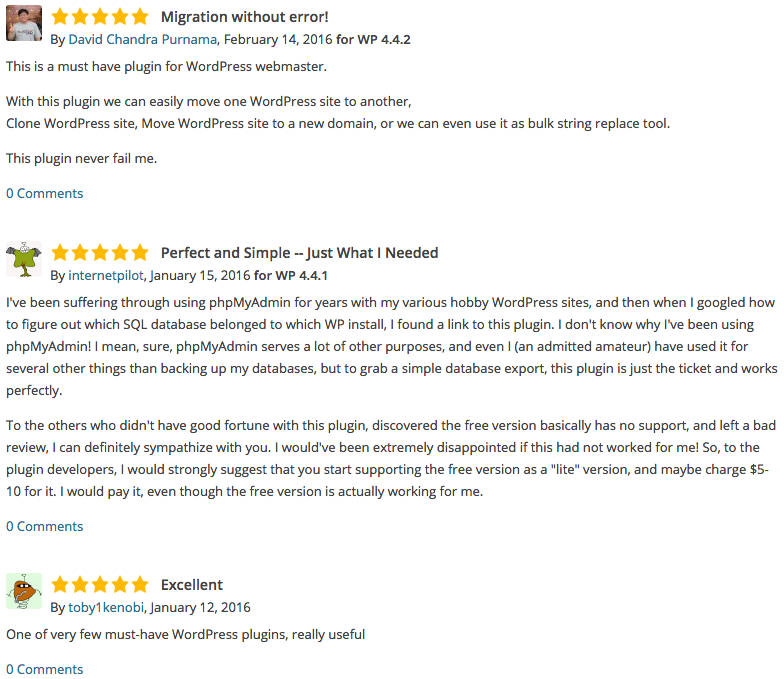
Yesterday I’v found a plugin who exports the DB PERFECTLY!

WP Migrate DB
https://wordpress.org/plugins/wp-migrate-db/

wp-migrate-db_reviews

Dedibox ST12

st12-2015

RAID 0 offers no redundancy. It improves performance and provides additional storage but has no fault tolerance. If any drive failure occurs, the RAID array will be destroyed, with more drive in the RAID array failure probability is increased.

RAID 5 provides advanced data mirroring. Every drive contain data and a parity section which will be used to reconstuct the array in case of an hardware failure. A single drive can be missing without any data loss.

RAID 6 provides advanced data mirroring, similar to RAID 5 but in a more reliable way. Every drive contain data and a parity section which will be used to reconstuct the array in case of an hardware failure. Two drives can be missing without any data loss.

RAID 6 HERE WE GO!

raids
