All posts by PF

Export & Import WordPress

I regularly work with WordPress… sometimes I install the working version on one of my servers and then move to the client’s server. Most of the times is a PAIN in the ass work…

I used to dump the mysql database, search and replace the older domain/subdomain for the new one and then import the database on the new server bla bla bla.

Users passwords stop working, themes and plugins sh*ts disappeared….

Yesterday I’v found a plugin who exports the DB PERFECTLY!

WP Migrate DB
https://wordpress.org/plugins/wp-migrate-db/
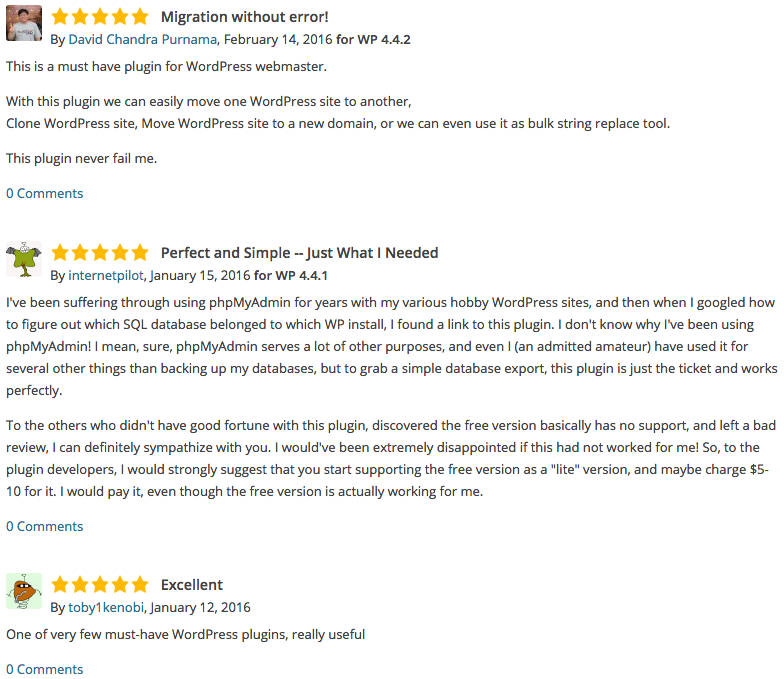
wp-migrate-db_reviews

Dedibox ST12

st12-2015

RAID 0 offers no redundancy. It improves performance and provides additional storage but has no fault tolerance. If any drive failure occurs, the RAID array will be destroyed, with more drive in the RAID array failure probability is increased.

RAID 5 provides advanced data mirroring. Every drive contain data and a parity section which will be used to reconstuct the array in case of an hardware failure. A single drive can be missing without any data loss.

RAID 6 provides advanced data mirroring, similar to RAID 5 but in a more reliable way. Every drive contain data and a parity section which will be used to reconstuct the array in case of an hardware failure. Two drives can be missing without any data loss.

RAID 6 HERE WE GO!

raids

woocommerce – my-account/lost-password/

On a new woocommerce store, the “Forget password” password was sending me to http://www.domain.com/my-account/lost-password/

In the funcions.php of the current theme that I’m using, I add the following lines…

function reset_pass_url() {
    $siteURL = get_option('siteurl');
    return "{$siteURL}/wp-login.php?action=lostpassword";
}
add_filter( 'lostpassword_url',  'reset_pass_url', 11, 0 );


For a deep reading and correct resolution
https://support.woothemes.com/hc/en-us/community/posts/201543505-Lost-Password-Endpoint-Shortcode-Not-Working

Notice of Google Search Console Team – European data protection removal from Google Search

Notice of European data protection removal from Google Search

To: Webmaster of XXXXXXX,

Due to a request under data protection law in Europe, Google can no longer show one or more pages from your site in Google Search results. This only affects responses to some search queries for names or other personal identifiers that might appear on your pages. Only results on European versions of Google are affected. No action is required from you.

What we’d like you to know:

These pages haven’t been blocked entirely from our search results

They’ve only been blocked on certain searches for names on European versions of Google Search. These pages will continue to appear for other searches.

We aren’t disclosing which queries have been affected.
In many cases, affected queries don’t relate to the name of any person mentioned prominently on the page.

For example, the name might only appear in a comment section.

You can notify us of concerns

If you have additional information regarding the content of a page that you believe warrants a reversal, you can notify Google. Please note that while we read all requests, we do not always respond. Only the registered siteowner can access this form.

php & msql – emoji


While I was trying to add some emojis via CodeIgniter to a MySQL database/table, I got the following error:

Incorrect string value: '\xF0\x9F\x98\x94\xE2\x80...' for column '

I had to change the table’s field collation to utf8mb4_general_ci.


Every time we make a select on the DB, previously we need to SET NAMES and SET CHARACTER SET – i’v tried to do it on database configurations (application/config/database.php) but it didn’t worked.

$this->db->query("SET NAMES 'utf8mb4'");
$this->db->query("SET CHARACTER SET utf8mb4");

The do the select to the table with the fields that have emojis.
NOTE! if we are displaying the *content* on a html tag that has google webfonts defined on it emojis won’t be displayed.

OK! It should work! 🙂

More readings