Category Archives: Wordpress

Export & Import WordPress

I regularly work with WordPress… sometimes I install the working version on one of my servers and then move to the client’s server. Most of the times is a PAIN in the ass work…

I used to dump the mysql database, search and replace the older domain/subdomain for the new one and then import the database on the new server bla bla bla.

Users passwords stop working, themes and plugins sh*ts disappeared….

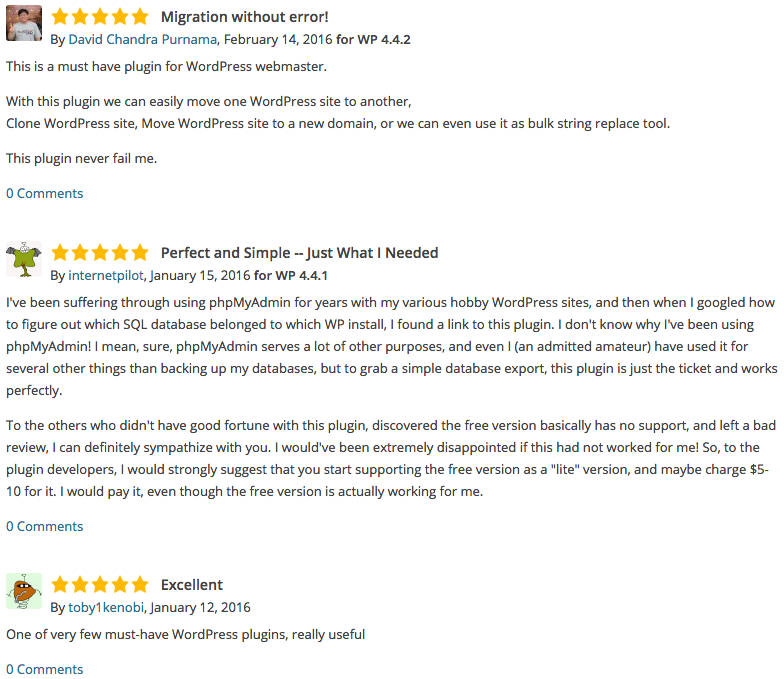
Yesterday I’v found a plugin who exports the DB PERFECTLY!

WP Migrate DB
https://wordpress.org/plugins/wp-migrate-db/

wp-migrate-db_reviews

woocommerce – my-account/lost-password/

On a new woocommerce store, the “Forget password” password was sending me to http://www.domain.com/my-account/lost-password/

In the funcions.php of the current theme that I’m using, I add the following lines…

function reset_pass_url() {
    $siteURL = get_option('siteurl');
    return "{$siteURL}/wp-login.php?action=lostpassword";
}
add_filter( 'lostpassword_url',  'reset_pass_url', 11, 0 );


For a deep reading and correct resolution
https://support.woothemes.com/hc/en-us/community/posts/201543505-Lost-Password-Endpoint-Shortcode-Not-Working

WordPress, delete duplicate entries

I run some wordpress blogs and their posts are generated with a tool that I’v made.
Unfortunately for several reasons I got duplicated titles/posts.

1465 duplicate titles (3274 individual entries)
 I’v tried some plugins to delete this duplicated posts – keep the older ones – but the one that really worked was Fix Duplicates – Duplicate Entries.

Pingdom Full Page Test, tweaking the result

Results of a WordPress without ZenCache

Google Chrome 57

Load time/waterfall of index.php
Google Chrome 56

After install ZenCache WordPress Plugin

Google Chrome 58

Load time/waterfall of index.php
Google Chrome 54

ZenChache results
<!-- ZenCache file path: /cache/zencache/cache/http/www-domain-com/index.html -->
<!-- ZenCache file built for (http://www.domain.com/) in 7.51658 seconds, on: May 29th, 2015 @ 4:00 pm UTC. -->
<!-- This ZenCache file will auto-expire (and be rebuilt) on: Jun 5th, 2015 @ 4:00 pm UTC (based on your configured expiration time). -->
<!-- +++++++++++++++++++++++++++++++++++++++++++++++++++++++++++++++++++++++++++++++++++++++++++++++++++++++++++++++++++++++++++++++++++++++++++++ -->
<!-- ZenCache fully functional :-) Cache file served for (http://www.domain.com/) in 0.00275 seconds, on: May 29th, 2015 @ 4:06 pm UTC. -->

google pagespeed / gtmetrix – how to improve results

gtmetrix - results

Check if we have enabled mod_headers.c and mod_expires.c

First we need to check if we have enabled mod_headers.c and mod_expires.c.

sudo apache2 -l

If we don’t have it, we need to enable then

sudo a2enmod headers

Then we need to restart apache

sudo apache2 restart
Leverage browsers caching

By adding the following lines on .htaccess Leverage Browsers Caching has simply disappeared! I got the solution from http://stackoverflow.com/questions/6878427/leverage-browser-caching-how-on-apache-or-htaccess

ExpiresActive On
ExpiresByType image/gif A2592000
ExpiresByType image/jpeg A2592000
ExpiresByType image/jpg A2592000
ExpiresByType image/png A2592000
ExpiresByType image/x-icon A2592000
ExpiresByType text/css A86400
ExpiresByType text/javascript A86400
ExpiresByType application/x-shockwave-flash A2592000
#
<FilesMatch "\.(gif¦jpe?g¦png¦ico¦css¦js¦swf)$">
Header set Cache-Control "public"
</FilesMatch>

It went from a global score of 53% to 72%.
And F(1) to A(98).

Enable gzip compression
<IfModule mod_deflate.c>
 AddOutputFilterByType DEFLATE application/javascript
 AddOutputFilterByType DEFLATE application/rss+xml
 AddOutputFilterByType DEFLATE application/vnd.ms-fontobject
 AddOutputFilterByType DEFLATE application/x-font
 AddOutputFilterByType DEFLATE application/x-font-opentype
 AddOutputFilterByType DEFLATE application/x-font-otf
 AddOutputFilterByType DEFLATE application/x-font-truetype
 AddOutputFilterByType DEFLATE application/x-font-ttf
 AddOutputFilterByType DEFLATE application/x-javascript
 AddOutputFilterByType DEFLATE application/xhtml+xml
 AddOutputFilterByType DEFLATE application/xml
 AddOutputFilterByType DEFLATE font/opentype
 AddOutputFilterByType DEFLATE font/otf
 AddOutputFilterByType DEFLATE font/ttf
 AddOutputFilterByType DEFLATE image/svg+xml
 AddOutputFilterByType DEFLATE image/x-icon
 AddOutputFilterByType DEFLATE text/css
 AddOutputFilterByType DEFLATE text/html
 AddOutputFilterByType DEFLATE text/javascript
 AddOutputFilterByType DEFLATE text/plain
 # Remove browser bugs (only needed for really old browsers)
 BrowserMatch ^Mozilla/4 gzip-only-text/html
 BrowserMatch ^Mozilla/4\.0[678] no-gzip
 BrowserMatch \bMSIE !no-gzip !gzip-only-text/html
 Header append Vary User-Agent
</IfModule>
<IfModule mod_gzip.c>
 mod_gzip_on Yes
 mod_gzip_dechunk Yes
 mod_gzip_item_include file .(html?|txt|css|js?|php|pl)$
 mod_gzip_item_include handler ^cgi-script$
 mod_gzip_item_include mime ^text/.*
 mod_gzip_item_include mime ^application/x-javascript.*
 mod_gzip_item_exclude mime ^image/.*
 mod_gzip_item_exclude rspheader ^Content-Encoding:.*gzip.*
</IfModule>
Defer parsing of JavaScript

To solve this issue I’v installed Asynchronous Javascript WordPress plugin.
It went from a score of F (19) to B (85).


Google Chrome 53


I strongly recommend to install Google PageSpeed module.
Small tutorial https://www.digitalocean.com/community/tutorials/how-to-get-started-with-mod_pagespeed-with-apache-on-an-ubuntu-and-debian-cloud-server

InfiniteWP – self-hosted multiple WordPress management platform

I run several WP blogs/sites… for me and for my clients…
3 of my WP blogs get 1.5K users per day… they aren’t huge, but they might get some extra attention to hackers…
Wordpress this days had some huge security vulnerabilities – WordPress itself and well known plugins like JetPack!…

One of my clients use Infinite WP.
I might try this out!

What is InfiniteWP?
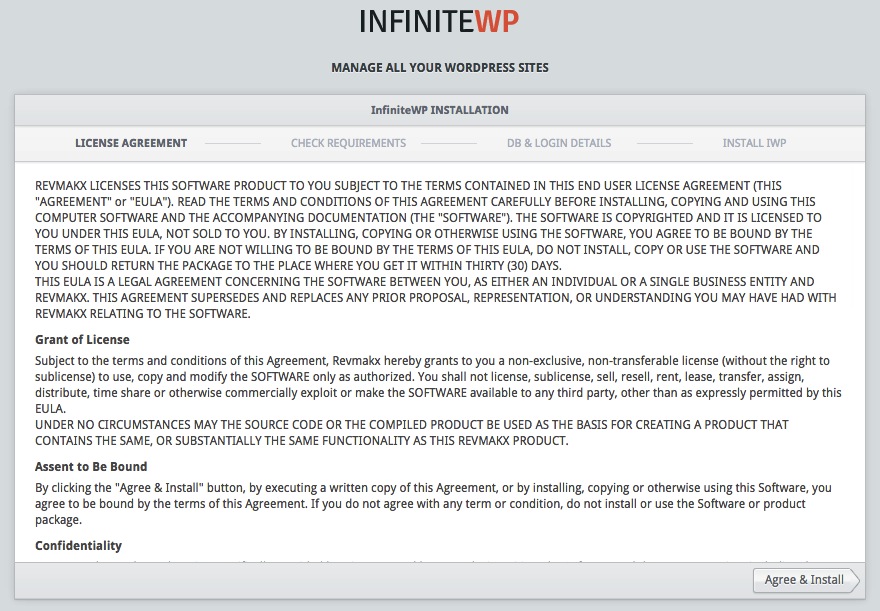
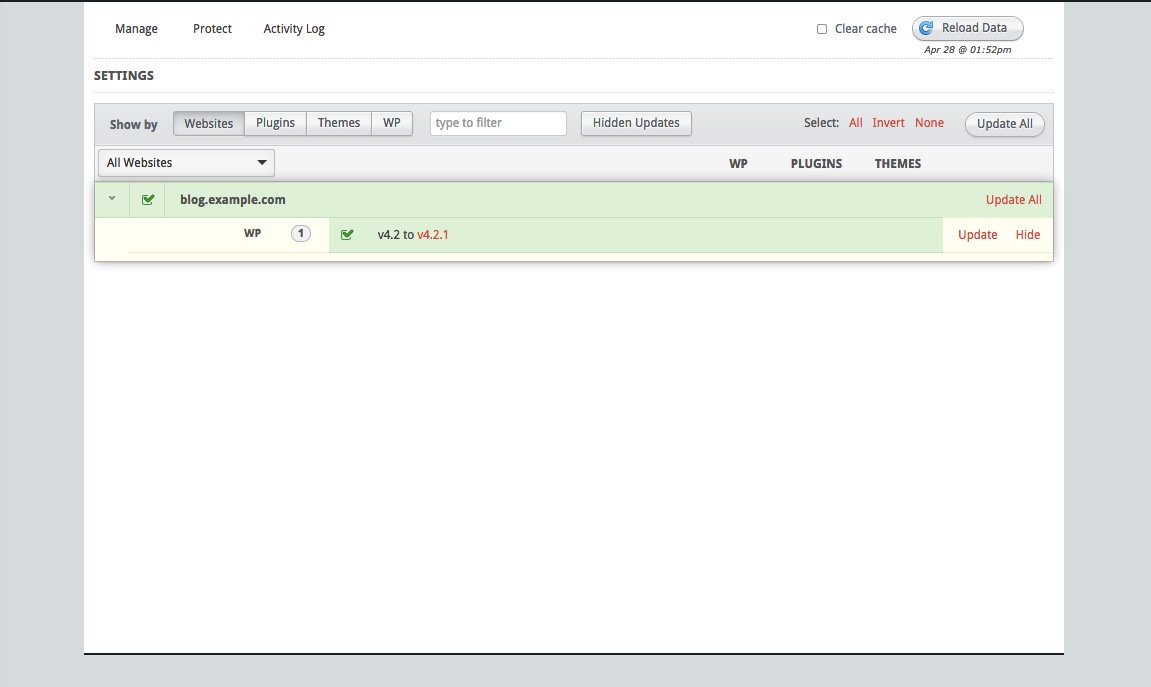
InfiniteWP is a free, self-hosted multiple WordPress management platform that simplifies your WordPress management tasks into a simple click of a button.

TOP FEATURES
One Master Login
One-click access to all your WordPress dashboards. Forget your passwords once and for all.
One-click updates
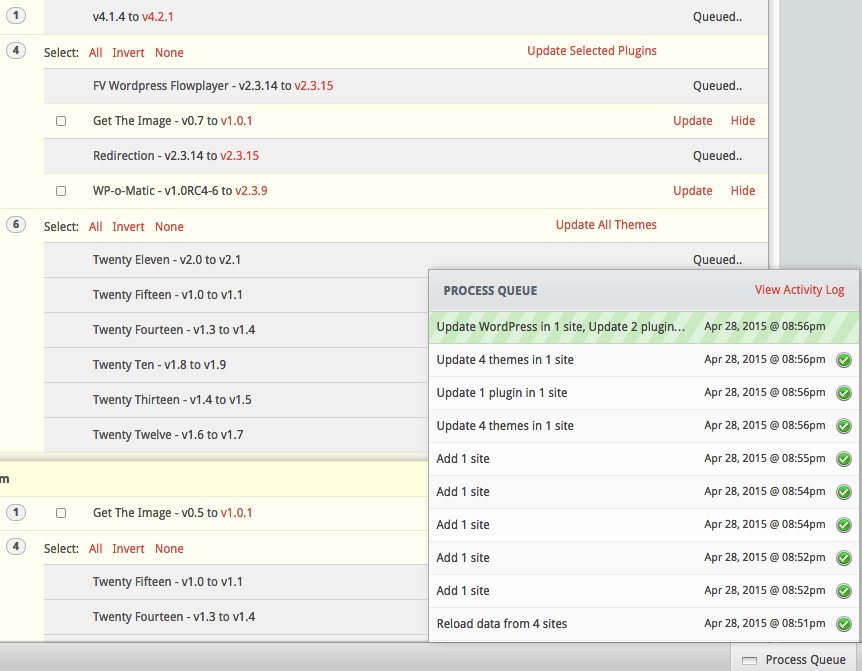
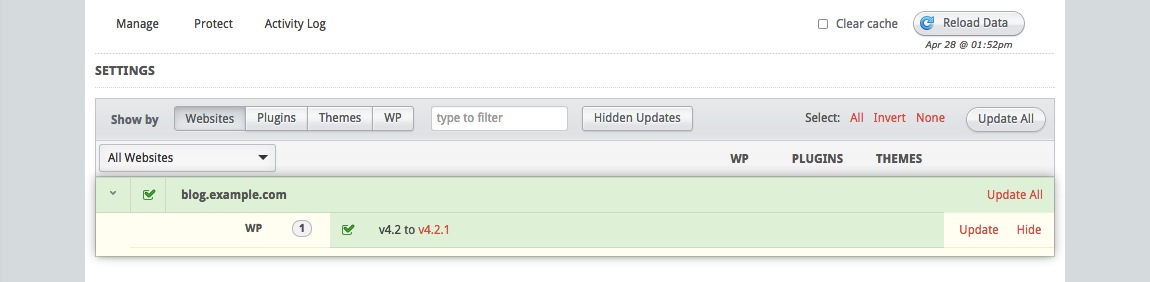
Click the Update All button like a Boss and update everything – WP core, plugins and themes.
Instant Backup & Restore
Create backups of all your WordPress sites simultaneously. Restore backups instantly.
Manage Plugins & Themes
Activate, Deactivate and delete plugins and themes in bulk. Bulk install favorite plugins with a single click.

Google Chrome 85 Google Chrome 84


Google Chrome 83


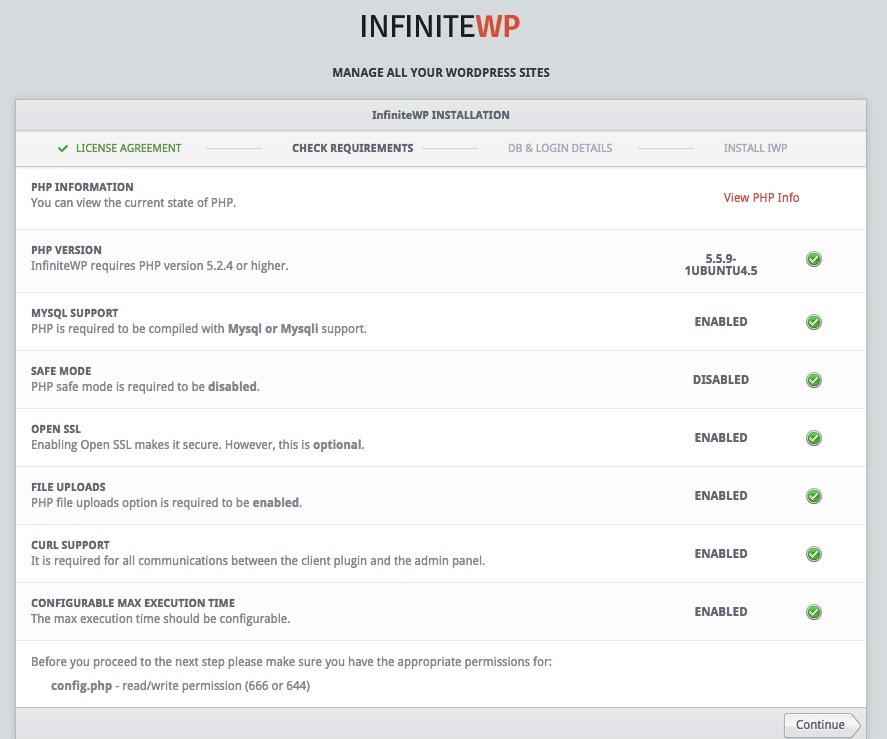
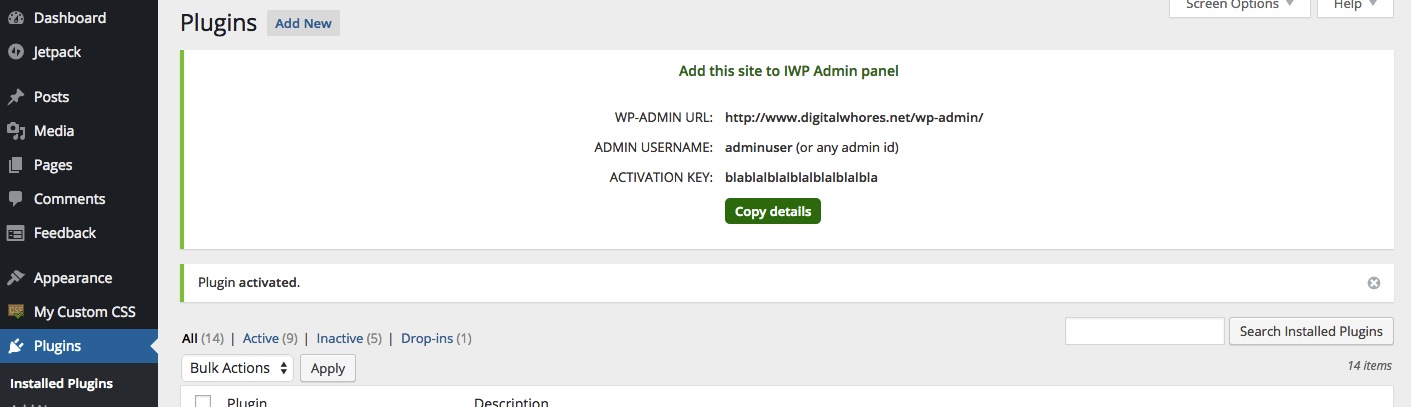
On your wordpress you need to install InfinityWP plugin.
After install and activate it, you will see a screen like this…
Hit the Copy details and, from your WP you are done.

Google Chrome 81

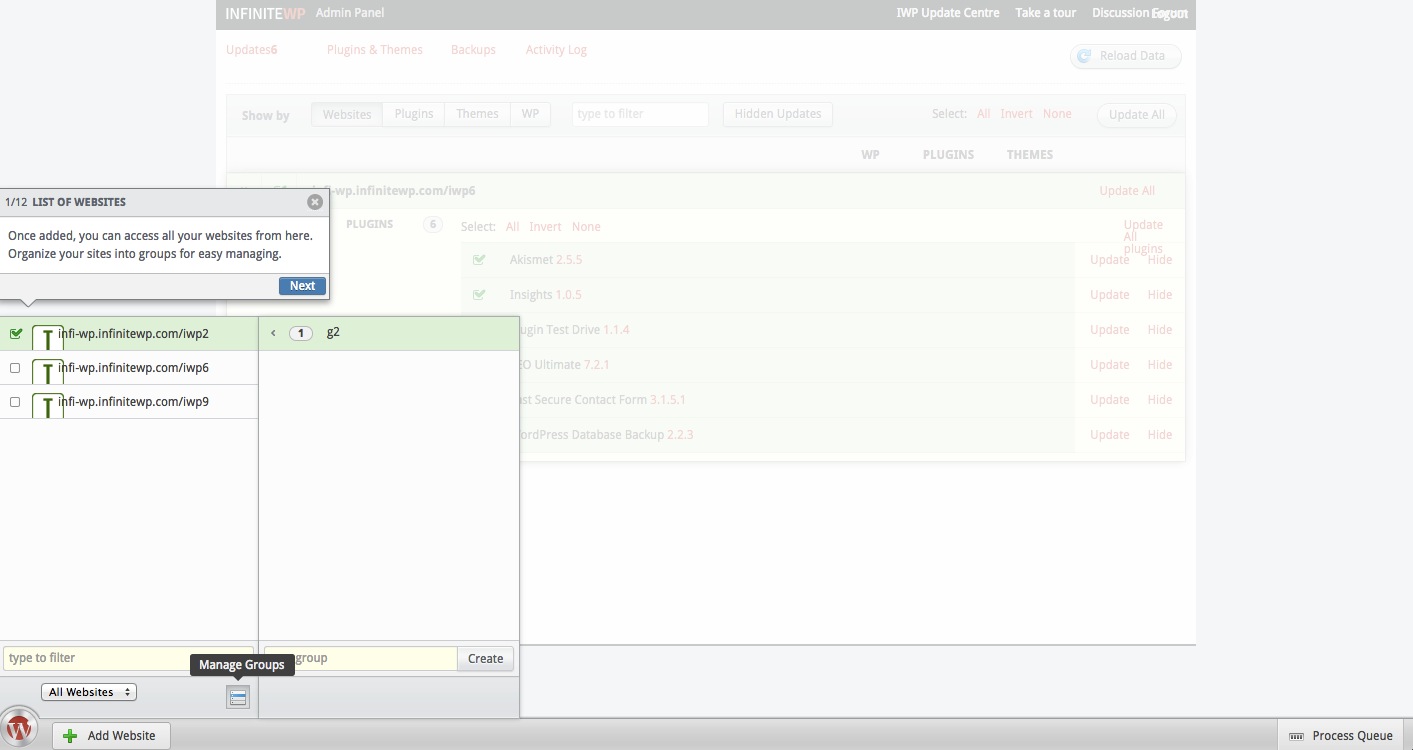
On you Infinity WP, on the left bottom you will see a Add Website bottom. Hit it!

Google Chrome 86


Now, just Past the codes copied from your WordPress blog… 🙂
Repeat this for all your blogs! 🙂

Google Chrome 80

Google Chrome 82  Google Chrome 76

Google Chrome 77

Google Chrome 78

Google Chrome 79


WordPress XML DOS


Major Security Vulnerability in WordPress, Drupal Could Take Down Websites

Nir Goldshlager, a security researcher from Salesforce.com’s product security team, has discovered an XML vulnerability that impacts the popular website platforms WordPress and Drupal.

The vulnerability uses a well-known XML Quadratic Blowup Attack — and when executed, it can take down an entire website or server almost instantly.

WordPress and Drupal are used by millions of websites. The latest statistics from the World Wide Web Consortium (WC3) show WordPress alone powers nearly 23% of the web.


http://mashable.com/2014/08/06/wordpress-xml-blowup-dos/