Last month requests: 15,295,135
Total bandwidth: 2.17 TB
Unique visitors: 2,426,542


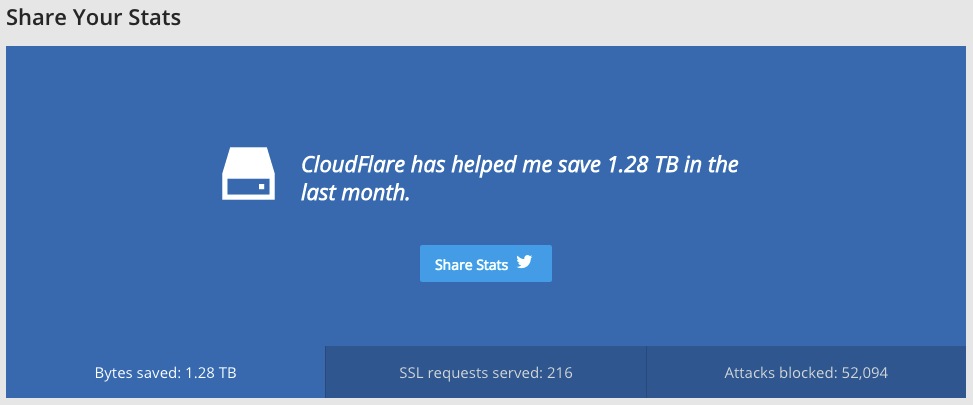

Last month requests: 15,295,135
Total bandwidth: 2.17 TB
Unique visitors: 2,426,542

Load time/waterfall of index.php


Load time/waterfall of index.php

<!-- ZenCache file path: /cache/zencache/cache/http/www-domain-com/index.html -->
<!-- ZenCache file built for (http://www.domain.com/) in 7.51658 seconds, on: May 29th, 2015 @ 4:00 pm UTC. -->
<!-- This ZenCache file will auto-expire (and be rebuilt) on: Jun 5th, 2015 @ 4:00 pm UTC (based on your configured expiration time). -->
<!-- +++++++++++++++++++++++++++++++++++++++++++++++++++++++++++++++++++++++++++++++++++++++++++++++++++++++++++++++++++++++++++++++++++++++++++++ -->
<!-- ZenCache fully functional :-) Cache file served for (http://www.domain.com/) in 0.00275 seconds, on: May 29th, 2015 @ 4:06 pm UTC. -->

First we need to check if we have enabled mod_headers.c and mod_expires.c.
sudo apache2 -lIf we don’t have it, we need to enable then
sudo a2enmod headersThen we need to restart apache
sudo apache2 restartBy adding the following lines on .htaccess Leverage Browsers Caching has simply disappeared! I got the solution from http://stackoverflow.com/questions/6878427/leverage-browser-caching-how-on-apache-or-htaccess
ExpiresActive On
ExpiresByType image/gif A2592000
ExpiresByType image/jpeg A2592000
ExpiresByType image/jpg A2592000
ExpiresByType image/png A2592000
ExpiresByType image/x-icon A2592000
ExpiresByType text/css A86400
ExpiresByType text/javascript A86400
ExpiresByType application/x-shockwave-flash A2592000
#
<FilesMatch "\.(gif¦jpe?g¦png¦ico¦css¦js¦swf)$">
Header set Cache-Control "public"
</FilesMatch>
It went from a global score of 53% to 72%.
And F(1) to A(98).
<IfModule mod_deflate.c>
 AddOutputFilterByType DEFLATE application/javascript
 AddOutputFilterByType DEFLATE application/rss+xml
 AddOutputFilterByType DEFLATE application/vnd.ms-fontobject
 AddOutputFilterByType DEFLATE application/x-font
 AddOutputFilterByType DEFLATE application/x-font-opentype
 AddOutputFilterByType DEFLATE application/x-font-otf
 AddOutputFilterByType DEFLATE application/x-font-truetype
 AddOutputFilterByType DEFLATE application/x-font-ttf
 AddOutputFilterByType DEFLATE application/x-javascript
 AddOutputFilterByType DEFLATE application/xhtml+xml
 AddOutputFilterByType DEFLATE application/xml
 AddOutputFilterByType DEFLATE font/opentype
 AddOutputFilterByType DEFLATE font/otf
 AddOutputFilterByType DEFLATE font/ttf
 AddOutputFilterByType DEFLATE image/svg+xml
 AddOutputFilterByType DEFLATE image/x-icon
 AddOutputFilterByType DEFLATE text/css
 AddOutputFilterByType DEFLATE text/html
 AddOutputFilterByType DEFLATE text/javascript
 AddOutputFilterByType DEFLATE text/plain
 # Remove browser bugs (only needed for really old browsers)
 BrowserMatch ^Mozilla/4 gzip-only-text/html
 BrowserMatch ^Mozilla/4\.0[678] no-gzip
 BrowserMatch \bMSIE !no-gzip !gzip-only-text/html
 Header append Vary User-Agent
</IfModule>
<IfModule mod_gzip.c>
 mod_gzip_on Yes
 mod_gzip_dechunk Yes
 mod_gzip_item_include file .(html?|txt|css|js?|php|pl)$
 mod_gzip_item_include handler ^cgi-script$
 mod_gzip_item_include mime ^text/.*
 mod_gzip_item_include mime ^application/x-javascript.*
 mod_gzip_item_exclude mime ^image/.*
 mod_gzip_item_exclude rspheader ^Content-Encoding:.*gzip.*
</IfModule>
To solve this issue I’v installed Asynchronous Javascript WordPress plugin.
It went from a score of F (19) to B (85).

I strongly recommend to install Google PageSpeed module.
Small tutorial https://www.digitalocean.com/community/tutorials/how-to-get-started-with-mod_pagespeed-with-apache-on-an-ubuntu-and-debian-cloud-server

From a listed 16USD we end paying 22.14USD for it.
A handling fee – they need to pick the theme from a warehouse, package it, send it… 2USD.
And the the VAT…

Ubuntu CIS Benchmark
This document provides prescriptive guidance for establishing a secure configuration posture for Ubuntu 12.04 LTS Server. To obtain the latest version of this guide, please visit http://benchmarks.cisecurity.org. If you have questions, comments, or have identified ways to improve this guide, please write us at [email protected].
https://benchmarks.cisecurity.org/tools2/ubuntu/CIS_Ubuntu_12.04_LTS_Server_Benchmark_v1.0.0.pdf
Apache CIS Benchmark
This document, CIS Apache 2.4 Benchmark, provides prescriptive guidance for establishing a secure configuration posture for Apache Web Server versions 2.4 running on Linux. This guide was tested against Apache Web Server 2.4.3 – 2.4.6 as built from source httpd-2.4.x.tar.gz from http://httpd.apache.org/ on Linux. To obtain the latest version of this guide, please visit http://benchmarks.cisecurity.org. If you have questions, comments, or have identified ways to improve this guide, please write us at [email protected].
https://benchmarks.cisecurity.org/tools2/apache/CIS_Apache_HTTP_Server_2.4_Benchmark_v1.1.0.pdf
Got it from http://askubuntu.com/questions/447144/basic-security-tools-and-packages-that-should-be-installed-on-a-public-facing-we
Well,
Most of *tutorials* about speed optimization that I’v seen talk about minify css, combine them etc… today I’v faced myself (lol) in to a problem… I’m using Flat UI – Free Bootstrap Framework and Theme on a very simple html page. That page will be delivered in a zip file and I just want the HTML itself… So, I want to put the CSS in the HTML but I don’t want the unused stylesheets on it…
So I’v installed CSS remove and combine from Steve McArthur.
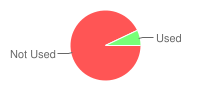
Some graphs taken from https://unused-css.com/ about the used/not used CSS selectors/stylesheed.

 s
s

PHP 7 Performance Check out our New PHP 7 Performance Infographic!
We’ve been benchmarking PHP 7 on Magento, Drupal, WordPress, Laravel and more — and the results are astounding! PHP 7 is blazing fast and you’re going to want to see these results. Check out the detailed performance benchmarks.

Well!
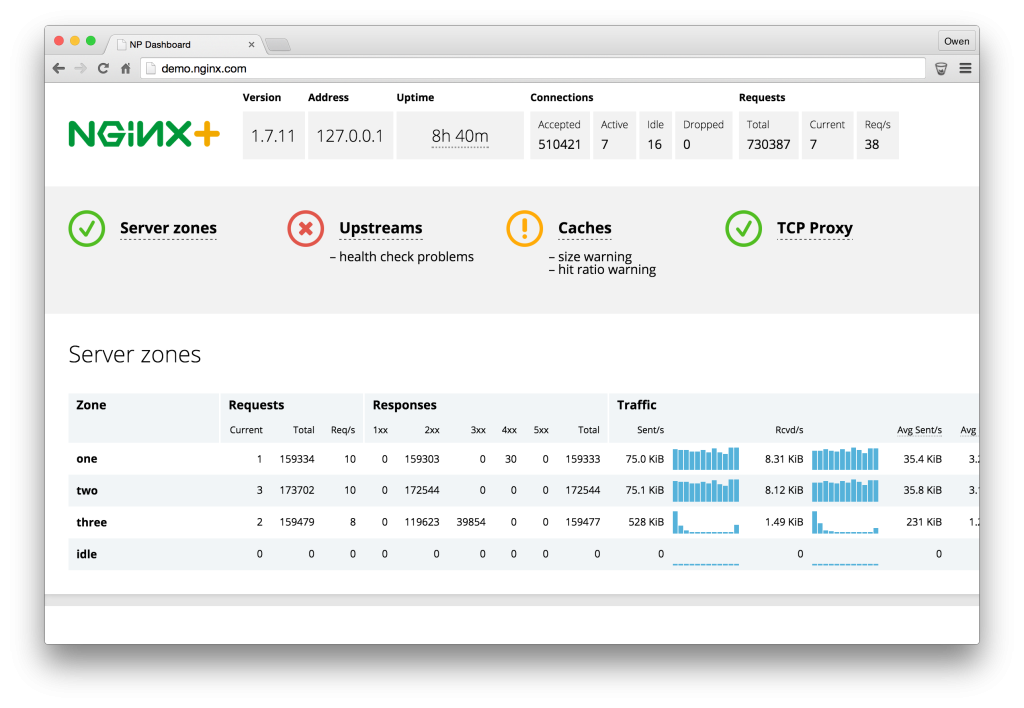
I can’t afford a NGINX Plus yet! 🙂
I might need to have one in one year of things work out like I want!
NGINX Plus looks hot!


Fernando Báez, Digital Art Director & Freelance Designer of justcreativeideas.com is giving away his awesome resumé template for download.
https://www.behance.net/gallery/15677411/FREE-Resume-Template


Found this list today!
It’s a fucking huge list.