Category Archives: Utilities

algolia – hosted cloud search as a service


LittleSnapper


Found Algolia the other day on https://cdnjs.com/.
Looks cool to try to look out it works…
They have a blog where they post some interesting articles about the service…

Moreover, Algolia is very easy to implement on your website as the company opted for a SaaS strategy. It means that you can implement the company’s search engine for database objects in just a few lines of code thanks to its hosted API, feed the service with JSON-formatted data, and customize it to your needs. After that, your users can start searching right away. They will interact with Algolia’s servers without ever leaving your site. With 12 different data centers across the world, Algolia tries to make the experience as responsive as possible for its users.
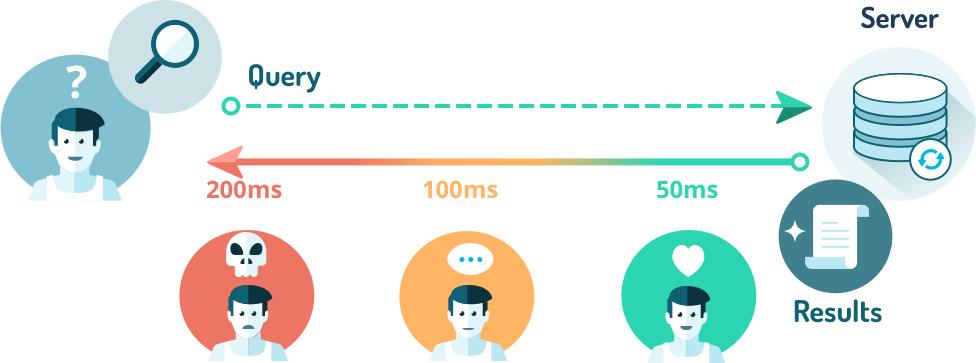
Source: http://techcrunch.com/2015/05/20/algolia-grabs-18-3-million-from-accel-for-its-search-api-on-steroids/

B-MobXdCUAARA6q

Some more readings


In Portugal we have a word similar to Algolia… and it isn’t good!

Continue reading algolia – hosted cloud search as a service

Sucuri lunched Performance – A Website Performance Tool

Sucuri has lunched an Website Performance Tool.

We extract three key metrics that are critical to the performance of any website: connection time, time to first byte (TTFB) and total load time:

  • Connection time: It measures how long it takes for the TCP session to be established to your website. If you are a networking geek, it measures how long it takes for the 3-way handshake to be completed.
  • Time To First Byte (TTFB): This is one of the most important numbers to pay attention to, as it tells you how long it takes for the first byte to be received by the browser. This metric is important because as soon as the browser receives the first few bytes, it can start to load the page and display content to the end user.
  • Total Load Time: This shows how long it takes for the full page to be loaded.

To give us the visibility we need for these tests, we setup 13 globally distributed testing stations:

  • 4 in USA (New York, Atlanta, Dallas and Los Angeles)
  • 1 in Canada (Montreal)
  • 4 in Europe (Germany, UK, France and Netherlands)
  • 2 in Asia (Japan and Singapore)
  • 1 in South America (Brazil)
  • 1 in Australia


Parse JSON files with JQUERY – render, list, sort, search, paginate?

So,

I’m working on a project that needs to improve the user experience on a particular website. The website uses a particular CMS that uses php smarty template and caches some pages… even though the solution isn’t the best!

We pretend to hit the some 30.000 unique visitors/month just in the following 3 months and improve retention/sales.

For this, we will still use the current CMS but we will export all data to JSON files.
This JSON files will be stored on a CDN and will be used to render, on the client side, the content.

On the first approach we tried to use dynatable.com witch has/had some bugs… so I looked for another similar solution and found jPList – jQuery Data Grid Controls jPList – jQuery Data Grid Control.

Sorting

  • Ascending and descending sorting
  • Sort numbers, text, date and time
  • SELECT and UL/LI sort controls

Pagination

  • Auto pagination control
  • Google style pagination
  • Items per page control

Filter and Search

  • Any number of textbox filters
  • Any number of dropdown filters
  • Filter by jQuery path or by text content

Toggle Filters

  • Checkbox and radio button filters
  • Button filter controls
  • Range filter controls

Data sources

  • PHP + MySQL / SQLite
  • ASP.NET + Sql Server
  • XML + XSLT / JSON

HTML Layout

  • Works with DIVs, Tables, Lists, …
  • List, Grid and Thumbs view
  • Responsive controls and layout

JavaScript Templates

  • Handlebars
  • Mustache
  • Any other template engine

Storage

  • Supports local storage
  • Supports cookies
  • Has deep links support

CMS and Frameworks

  • WordPress Plugin
  • Groovy, Grails and MySQL
  • NodeJS, Express and MySQL

jQuery UI

  • jQuery UI range slider filter
  • jQuery UI date picker range filter


Browser Compatibility

  • Internet Explorer 8+
  • All modern browsers
  • Mobile Devices

Other Controls

  • Reset button Control
  • Back button Control
  • Counter Controls